Volver a Tecnología y Computación

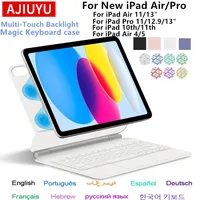
Teclado Magic Keyboard con Touchpad para iPad Air y iPad Pro

76,68 € – 95,72 €

Air 13 inch BlackAir 13 inch WhiteiPad 10th BlackiPad 10th WhiteiPad Air 11 BlackiPad Air 11 WhiteiPad Pro 12.9 BlackiPad Pro 12.9 WhiteiPad Pro 13 BlackiPad Pro 13 WhitePro 11 Air 4 5 BlackPro 11 M5 M4 BlackPro 11 M5 M4 WhitePro11 Air 4 5 PinkPro11 Air 4 5 PurplePro11 Air 4 5 White
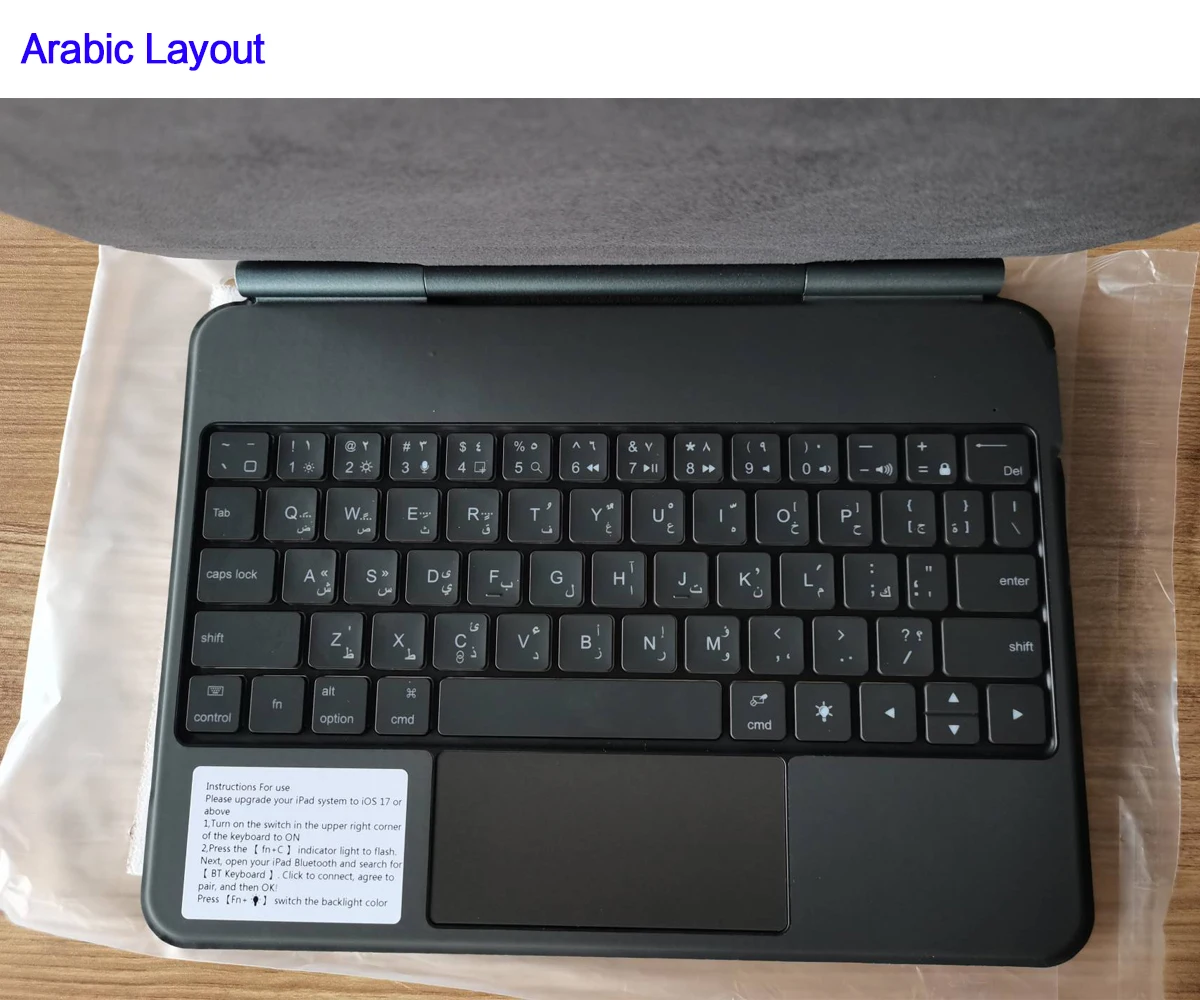
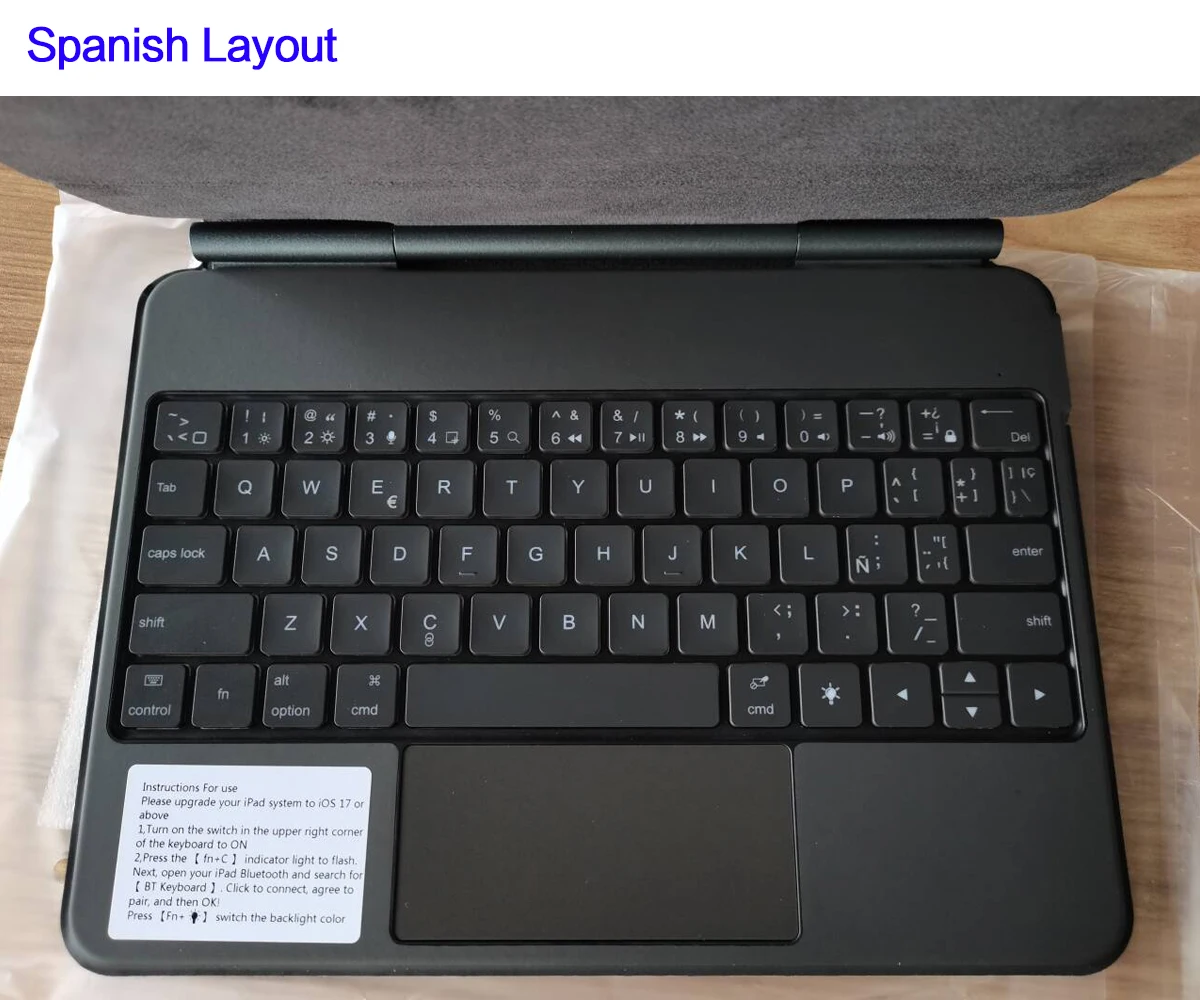
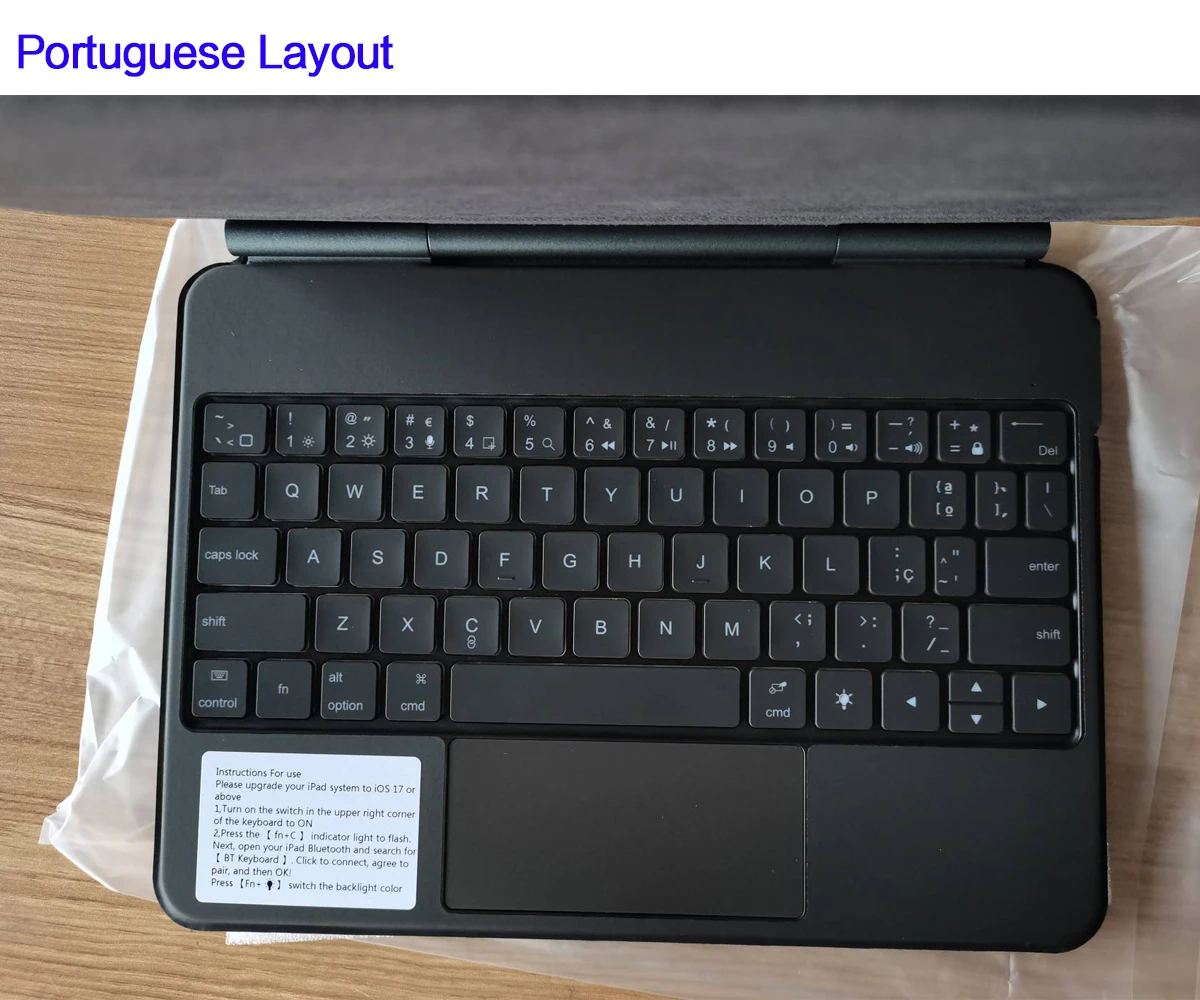
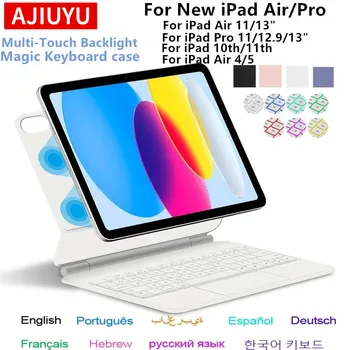
Arabic LayoutEnglish LayoutFrench LayoutGerman LayoutHebrew LayoutJapanese LayoutKorean LayoutPortuguese LayoutRussian LayoutSpanish Layout
Limpiar
  • Envío gratis Más info
  • Pago 100% seguro con tarjeta o PayPal
  • Devoluciones sin complicaciones · Ver política


Teclado con Touchpad para iPad

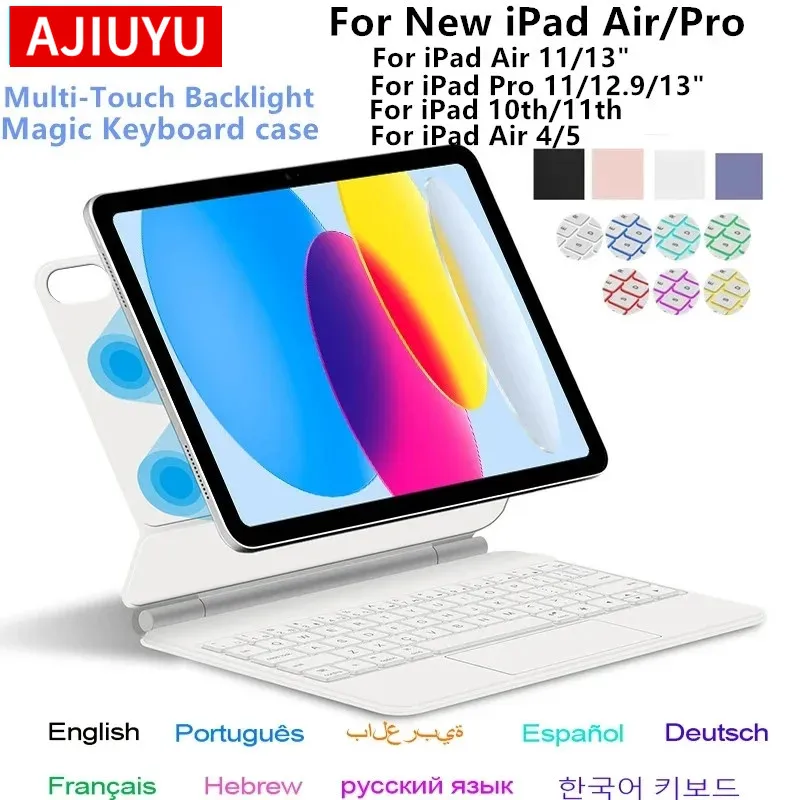
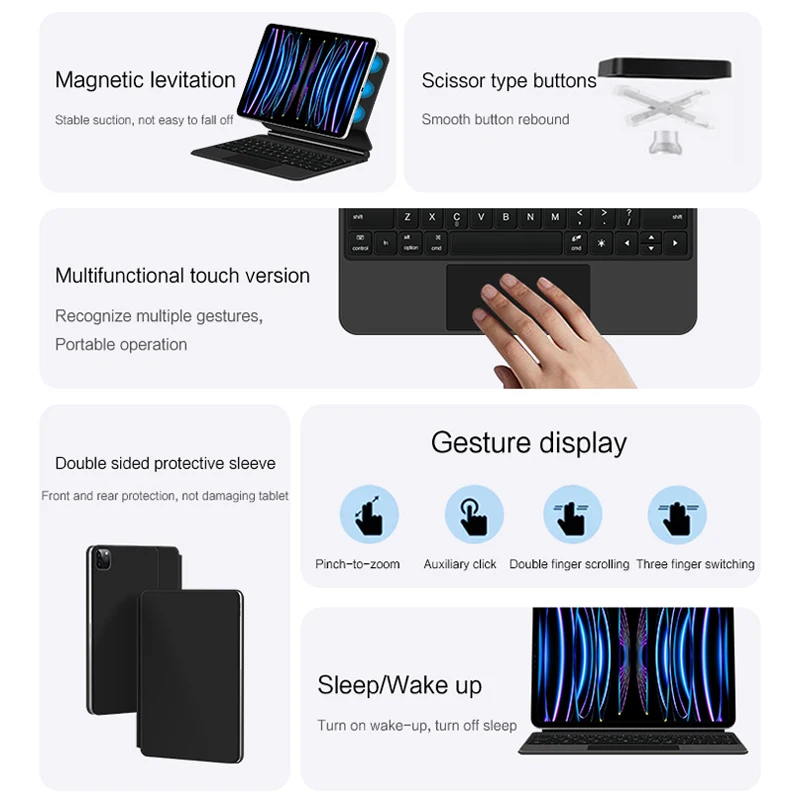
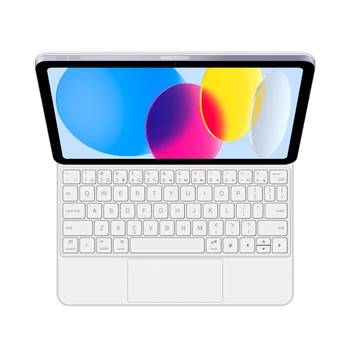
Este teclado con Touchpad para iPad convierte la tablet en un equipo más cómodo para escribir, trabajar y realizar diferentes tareas de productividad. Su diseño combina un teclado físico con Touchpad, permitiendo manejar determinadas funciones del iPad mediante el panel táctil sin necesidad de tocar continuamente la pantalla.

El producto está diseñado para diferentes modelos de iPad Air, iPad y iPad Pro, incluyendo generaciones recientes y anteriores. Debido a la variedad de tamaños y modelos disponibles, es fundamental seleccionar correctamente la variante correspondiente a tu dispositivo.

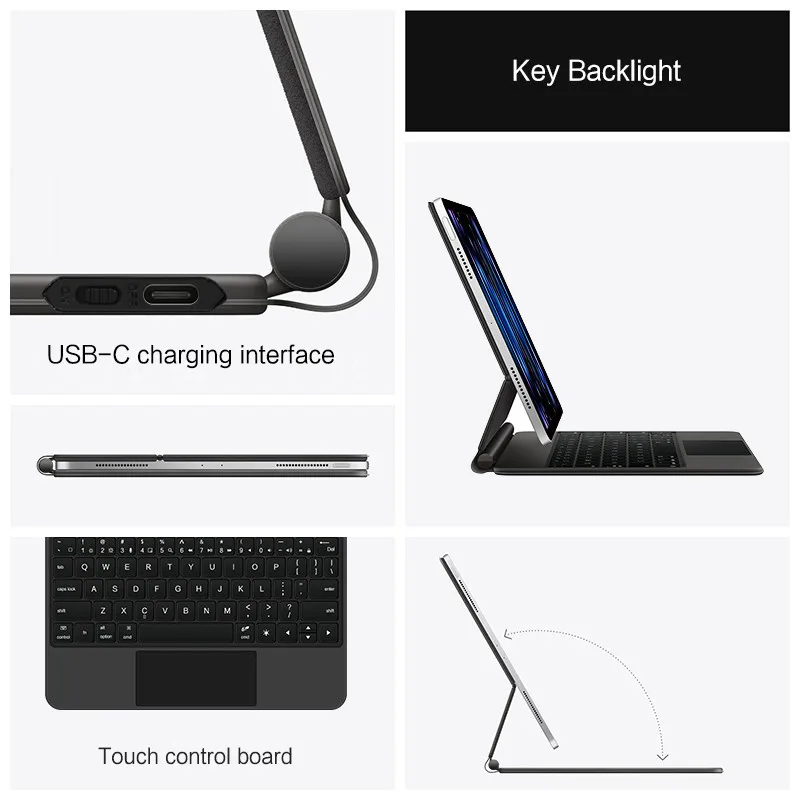
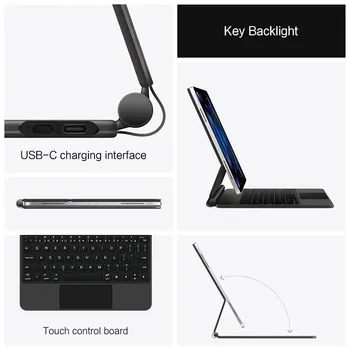
Además del teclado y el Touchpad, el producto incorpora una Smart Cover trasera y un diseño con retroiluminación, según la descripción del fabricante.

Touchpad integrado

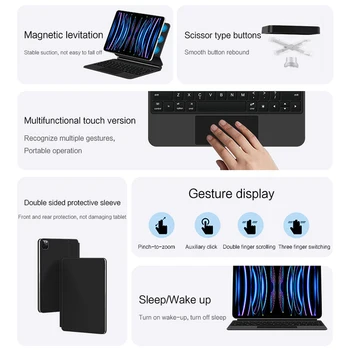
Una de las principales características de este teclado es el Touchpad integrado.

El panel táctil permite utilizar el iPad de una forma más parecida a un ordenador portátil, especialmente cuando se trabaja con documentos, textos y otras tareas en las que puede resultar más cómodo utilizar un cursor.

El funcionamiento concreto del Touchpad dependerá del modelo de iPad y de las funciones compatibles con su sistema operativo.

Teclado retroiluminado

El teclado incorpora retroiluminación, una característica práctica para utilizarlo en condiciones de poca luz.

La iluminación permite distinguir las teclas con mayor facilidad cuando el entorno está oscuro o cuando se trabaja por la noche. La configuración concreta de la retroiluminación puede depender de la versión del producto.

El teclado está pensado para facilitar la escritura frente al uso continuado del teclado virtual que aparece en la pantalla del iPad.

Diseño tipo Smart Cover

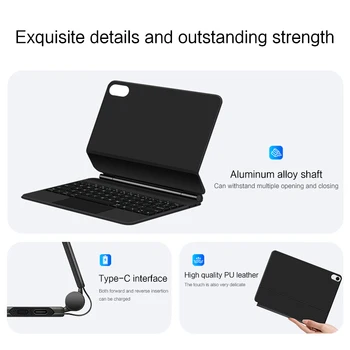
El producto también cuenta con un diseño tipo Smart Cover, que integra una parte trasera destinada a cubrir y sujetar el iPad.

Este formato permite utilizar el dispositivo junto al teclado manteniendo una configuración más similar a la de un ordenador portátil.

Además, al tratarse de un accesorio específico para determinados tamaños de iPad, es importante seleccionar la variante adecuada para conseguir un ajuste correcto.

Compatible con diferentes modelos de iPad

Según el título del producto, existen variantes para diferentes generaciones y tamaños de iPad, entre ellas:

  • iPad Air 11 pulgadas.
  • iPad Air 13 pulgadas.
  • iPad Air 4.
  • iPad Air 5.
  • iPad Air 6.
  • iPad 10 / 10.ª generación.
  • iPad Pro de 11 pulgadas.
  • iPad Pro de 12,9 pulgadas.
  • iPad Pro de 13 pulgadas.
  • Modelos con procesadores M2, M3, M4 y M5, según la variante correspondiente.

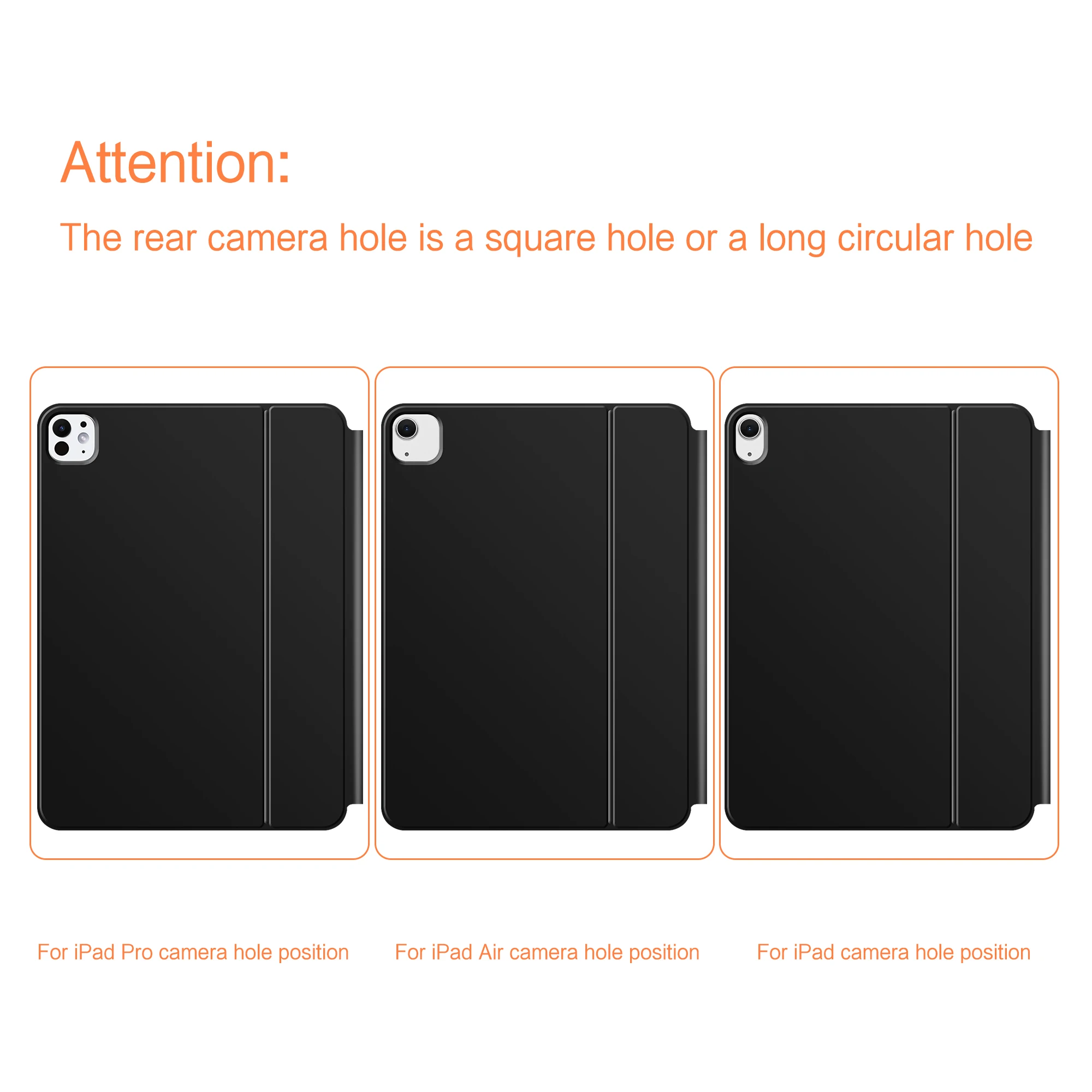
No todas las versiones son compatibles entre sí. Las dimensiones, ubicación de cámaras y sistema de conexión pueden cambiar entre generaciones, por lo que debes seleccionar exactamente el modelo de tu iPad antes de comprar.

Una alternativa para trabajar con el iPad

El teclado puede resultar especialmente útil para quienes utilizan el iPad para escribir textos, responder mensajes, trabajar con documentos o realizar tareas de productividad.

La combinación de teclado físico y Touchpad permite trabajar de una forma diferente a la utilización exclusiva de la pantalla táctil.

También puede ser una opción interesante para estudiantes, profesionales o usuarios que utilizan el iPad como dispositivo principal para determinadas tareas.

Características principales

  • Teclado para iPad.
  • Touchpad integrado.
  • Diseño tipo Magic Keyboard.
  • Teclado retroiluminado.
  • Diseño tipo Smart Cover.
  • Compatible con diferentes modelos de iPad.
  • Versiones para iPad Air de 11 y 13 pulgadas.
  • Compatible con determinadas generaciones de iPad Air.
  • Versiones para iPad de 10.ª generación.
  • Compatible con determinadas versiones de iPad Pro de 11, 12,9 y 13 pulgadas.
  • Variantes para modelos con chips M2, M3, M4 y M5 según versión.

Comprueba tu modelo antes de realizar el pedido

La compatibilidad es especialmente importante en este tipo de accesorios. Aunque dos iPad tengan un tamaño similar, pueden existir diferencias en las dimensiones, cámaras, conectores y distribución de elementos.

Antes de comprar, comprueba el modelo y tamaño exactos de tu iPad y selecciona la variante correspondiente. No elijas únicamente por el nombre de la familia, como “iPad Air” o “iPad Pro”, ya que existen diferentes generaciones y tamaños.

Convierte tu iPad en una herramienta más completa

El teclado con Touchpad y retroiluminación para iPad combina escritura física, panel táctil y formato tipo Smart Cover en un único accesorio. Su diseño está pensado para usuarios que quieren trabajar con el iPad de una forma más cercana a la experiencia de un ordenador portátil.

Selecciona cuidadosamente la variante compatible con tu modelo de iPad y disfruta de una solución práctica para escribir, trabajar y utilizar la tablet con mayor comodidad.


Note 1:You need to upgrade the system to version 17.0 or higher to use the touchpad.

Note 2:Please check in the size and detail model of your Tablet. it is very importtant ! ! !

Note 3:After Open the Power, Please Click «Fn» and «C» 【Fn+C】Button Together to Open the Keyboard’s Bluetooth. It is Very Important.


Product Details:
1. Number of buttons: 64
2. Battery: Lithium battery 500mAh
3. Stand-by time: 150 days
4. Working Time: 5 hours (with backlit on),120 hours (with backlit off)
5. Working Voltage: 3.0 – 4.2V
6. Charging current:<250 mA
7. Effective distance: 10 meters
8. Backlit Light: 7 colors backlit
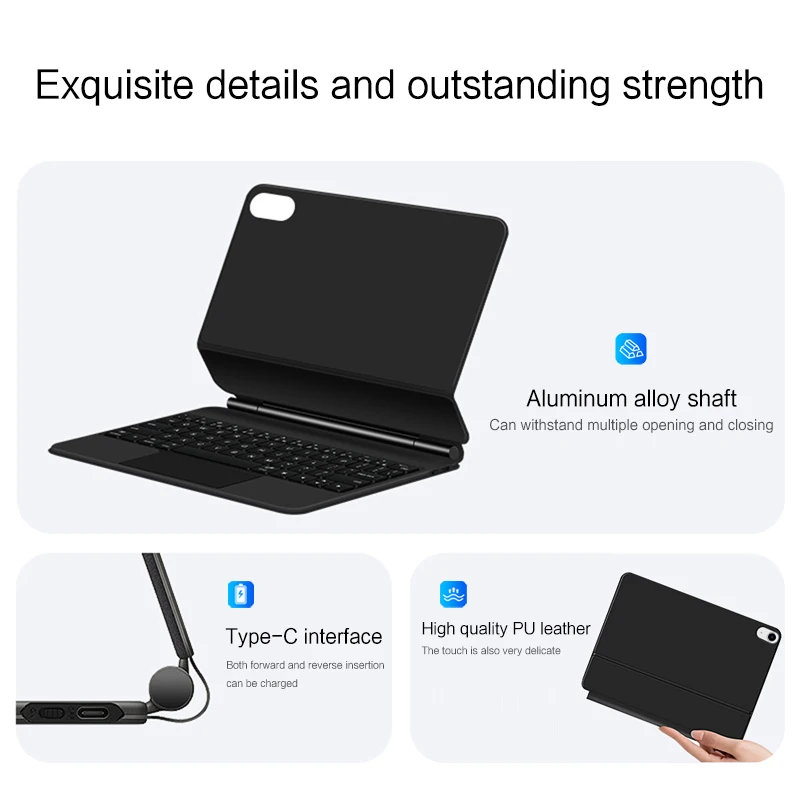
9. Charge Port: Type-c
10. Material: Anti fouling and durable PU material
11. Key life:3 million
12. Charging times: 4 hours
13. Color: Black
 、White、Pink、 Purple


Note: If you experience delays in the touchpad or unstable Bluetooth connection while using the keyboard, please check your iPad system to see if it has been upgraded to the latest version


Due to multiple model options available on this link, please make sure to confirm your machine model or code before making a purchase in order to select the correct option. If you make a wrong purchase, you will be responsible for it yourself

How To Verify Your Tablet Model
1.Turn iPad tablet to the back find your specific model,Par exemple: A****
2.Find the «Settings»–Click the «About»–Find the «Model»

3.Please select the correct model number for your tablet purchase after viewing it.

[ Note:Only the corresponding machine model can be magnetically attracted!!! ]

Applicable Models:

For Apple iPad Air 11 inch (M4) 2026 (A3459 A3460 A3463 )

For Apple iPad Air 11 inch (M3) 2025 (A3266 A3277 A3270)

For Apple iPad Air 11 inch (M2) 2024 (A2902 A2903 A2904)

For Apple iPad Pro 11 inch 2022 4th Generation (A2759 A2435 A2761 A2762)

For Apple iPad Pro 11 inch 2018 1st Generation (A1980 A1934 A1979 A2013)
For Apple iPad Pro 11 inch 2020 2nd Generation (A2228 A2068 A2230 A2231)
For Apple iPad Pro 11 inch 2021 3rd Generation (A2301 A2459 A2460)

For Apple iPad Air 5 10.9 inch 2022 5th Generation (A2588 A2589 A2591)

For Apple iPad Air 4 10.9 inch 2020 4th Generation (A2324 A2325 A2072 A2136)

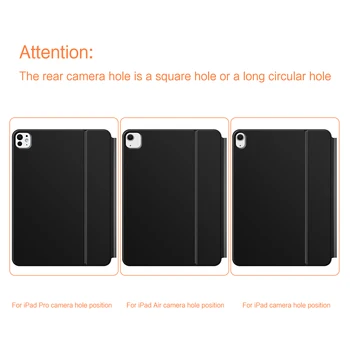
The above nine models of keyboard covers are universal !!! The rear camera holes are all universal square holes !!! If you mind , please do not purchase!!


For iPad Pro 12.9 inch 3rd 4th 5th 6th /Air 13 inch M4 M3 M2
For Apple iPad Air 13 inch (M4) 2026 (A3461 A3462 A3464)

For Apple iPad Air 13 inch (M3) 2025 (A3271 A3268 A3269)

For Apple iPad Air 13 inch (M2) 2024 (A2898 A2899 A2900)

For Apple iPad Pro 12.9 2018 3rd Generation (A1876 A2014 A1895 A1983)
For Apple iPad Pro 12.9 2020 4th Generation (A2069 A2232 A2229 A2233)
For Apple iPad Pro 12.9 2021 5th Generation (A2378 A2379 A2461 A2462)

For Apple iPad Pro 12.9 2022 6th Generation (A2436 A2764 A2437 A2766)

The above seven models of keyboard covers are universal !!! The rear camera holes are all universal square holes !!!

For Apple iPad Pro 11 inch (M4) 2024 (Codes: A2836 A2837 A3006)

For Apple iPad Pro 11 inch (M5) 2025 (Codes: A3357 A3358 A3359)

These two models of keyboard covers are universal.

For Apple iPad Pro 13 inch (M4) 2024 (Codes: A2925 A2926 A3007)

For Apple iPad Pro 13 inch (M5) 2025 (Codes: A3362 A3360 A3361 )

These two models of keyboard covers are universal.

For iPad 10th Generation 2022 10.9 inch(Model:A2696、A2757、A2777)

For iPad A16 2025 11th Generation 11 inch (Model:A3354、 A3355、 A3356)

These two models of keyboard covers are universal.


Note: The camera hole of the For iPad Air4/5 and iPad Pro 11 12.9 inch 2018 has been upgraded to a universal square hole.

Due to different device resolutions, there may be slight color differences in the actual product, which is a normal phenomenon ~~If you mind, please do not purchase。

Attention Please

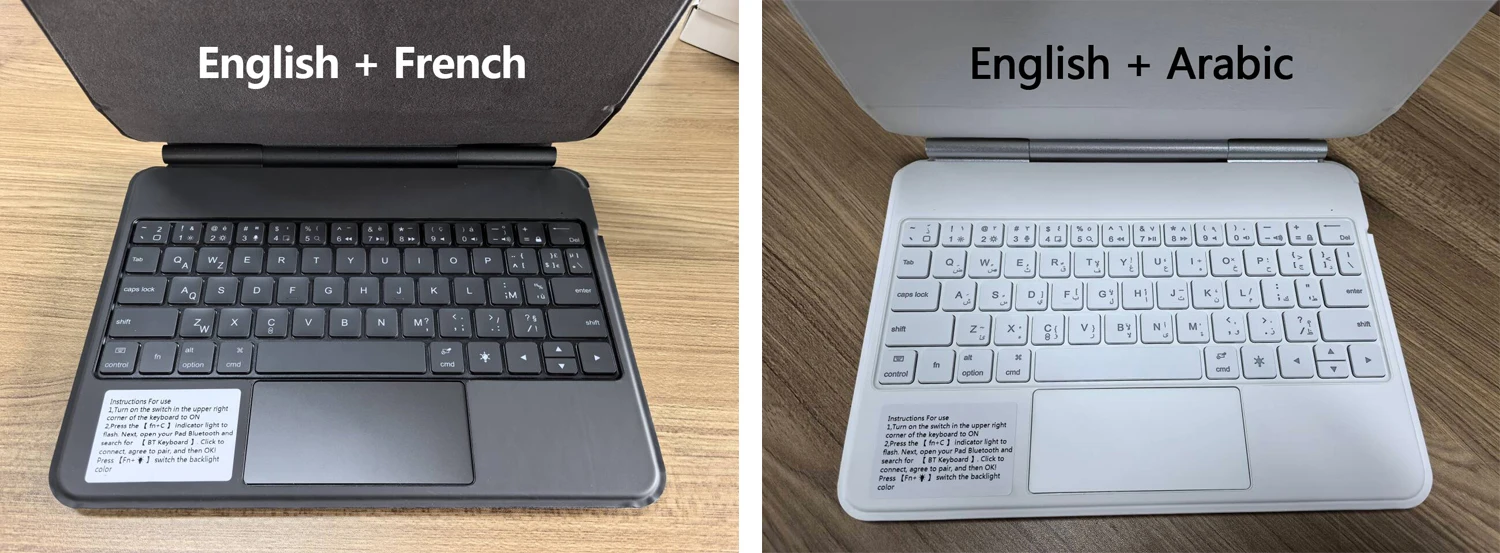
English versionkeyboard : There are English letters on the keyboard only.

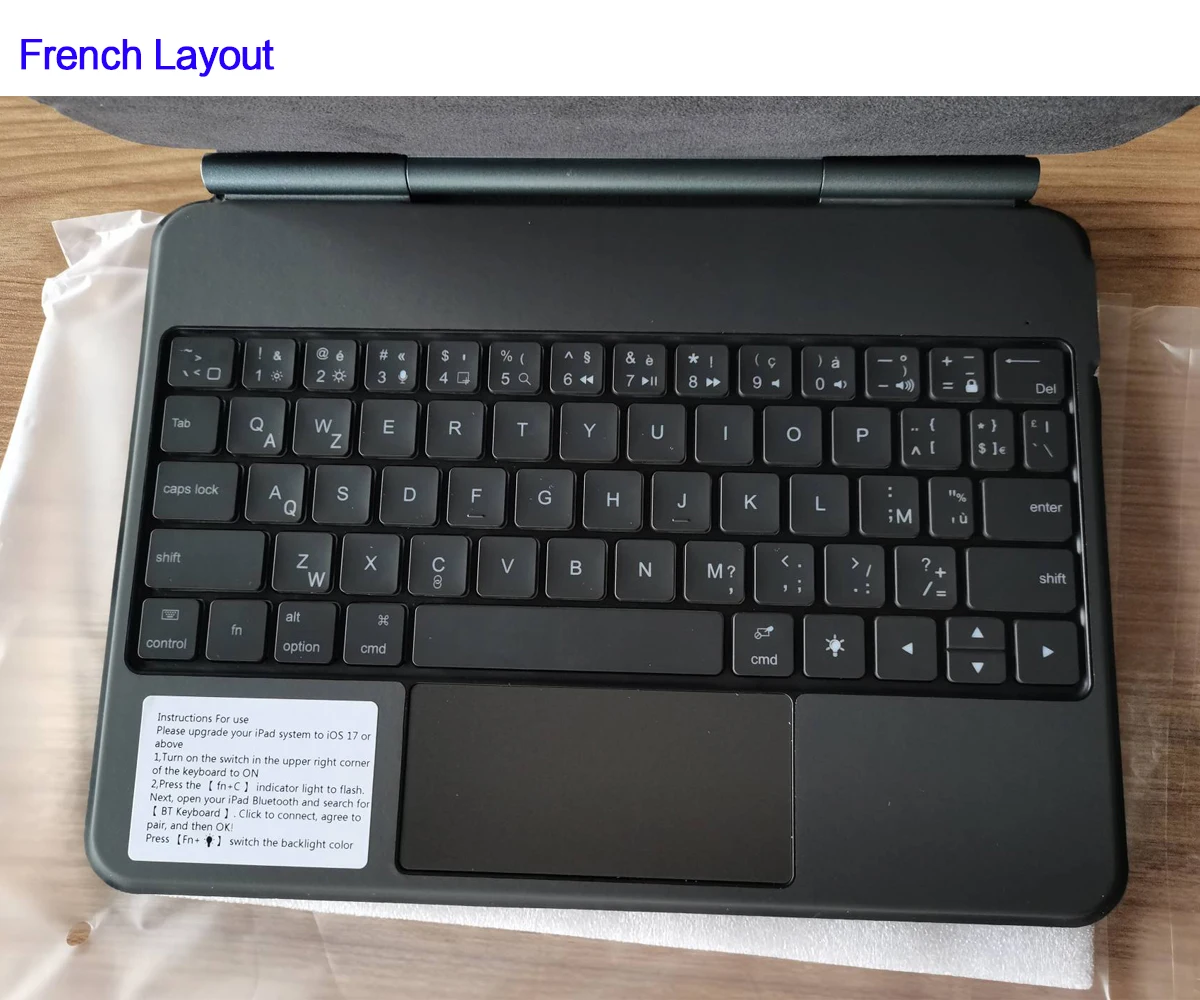
Multi-language versionkeyboard : English letters and carved language letters together ..【For example, if you choose French, the keyboard will display English and French letters. Please note that the same letters will not be engraved repeatedly】(Due to the difference in the number of keyboard keys compared to a normal office keyboard, some special character engraving positions are the same, which is a normal phenomenon)

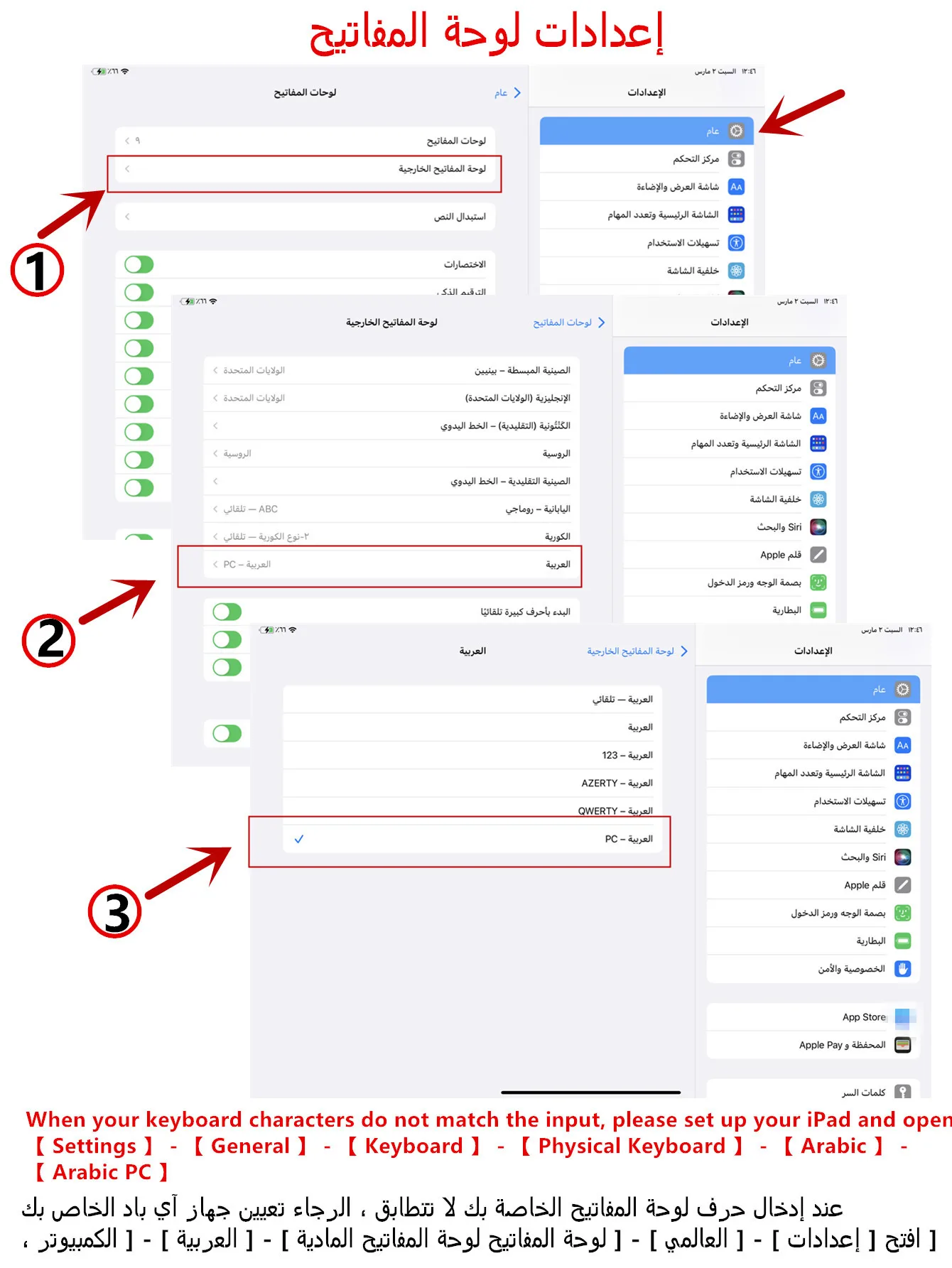
The keyboard Core defaults to English, and the characters engraved on the keyboard are only a Surface display.so in some countries, even if the input method is switched, the special symbols do not necessarily match the keyboard function layout(You can hold down the Shift combination).If you mind, please do not purchase!!.

Note Due to the material of the white keyboard, the engraved letters are dark gray.【The pictures are for reference only】
【Note】Bluetooth connection method: Turn on the keyboard switch, then hold down Fn+C for about 2-3 seconds to start Bluetooth, then turn on your tablet Bluetooth device, search for «BT Keyboard», and click connect to connect 。

Note: If you do not use the keyboard for a long time, the keyboard will enter sleep mode and Bluetooth will automatically disconnect.


【1】1. After connecting Bluetooth, open your iPad – Settings – Keyboard – Add New Keyboard

【1-1】Input method switching: control+spacebar.(Choose the language you need)


【3】For detailed instructions, please read the user manual. If you have any questions, you can contact «Online Services» for consultation .

The resolution of the machine is different, and there may be color differences in the images, which is a normal phenomenon. The actual product received shall prevail .

 

Note:Due to the large size of the tablet, if the keyboard angle is adjusted too much during use, the keyboard may tilt. This is a normal situation, please do not panic, just adjust the keyboard amplitude, and it will not affect use.
Note: Tablet and Pencil are not included in the packaging~


Rechargeablebatteryincluded

No

Battery Included

Sí

Envío y devoluciones

Consulta los plazos y condiciones de envío en Envío y entrega y cómo devolver tu pedido en nuestra política de devoluciones. ¿Dudas? Escríbenos.

Opiniones de clientes

Todavía no hay opiniones. ¡Sé el primero en opinar!
Escribe tu opinión

Carrito de compra

×

No hay productos en el carrito.